

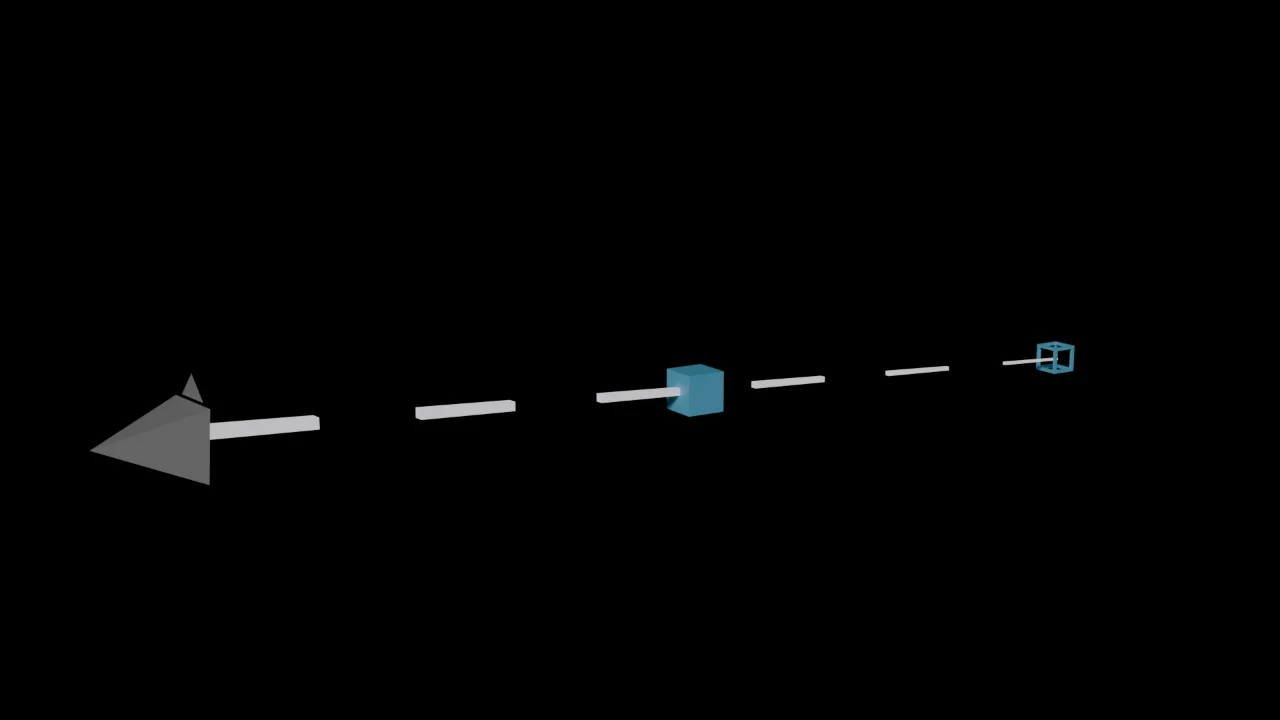
Distant Landmark
Type: 3DKeeps a mesh (or a whole scene) visible at ANY distance from the camera, for example a tower in the middle of the zone that must be seen from far outside the normal camera range, but you want to be able to get close to it so a skybox image wouldn't work.
Setup
- Add a Node3d to your scene
- Add this script to this node
- Add your mesh/scene below this Node and select it in the script
- Optionally add another, lower poly mesh to be replaced at very far distances
Code
Released under CC0 1.0 licence (opens in a new tab): use, change and share it in any project, without asking and without giving credit.
GDScript
class_name DistantLandmark
extends Node3D
## Keeps a mesh (or a whole scene) visible at ANY distance from the camera, for example a tower in the middle of
## the zone that must be seen from far outside it.
##
## Why meshes vanish: the camera has a far plane (Camera3D.far) and nothing beyond it is drawn. This node removes
## that limit for one object. When the object is farther away than the "park distance", it is drawn at the park
## distance instead, along the same line of sight, and scaled down by the same ratio. From the camera it looks
## identical (same direction, same angular size), but it is always inside the far plane.
##
## How to use: put this node at the landmark's TRUE position and make the visual a child of it (a MeshInstance3D or a
## whole scene). Collisions, gameplay logic and anything else stay at the true position; only the visual is swapped.
## Do not animate the visual node's own transform (this node rewrites it every frame): animate its children instead.
## Works with the floating origin, because it only uses global positions.
##
## On the visual mesh itself, leave Visibility Range End at 0 (unlimited), or it will still hide at that distance.

## Turn the effect off. The visual is then drawn at its real position and disappears beyond the far plane.
@export var enabled := true
## The thing to keep visible. Leave empty to use the first Node3D child.
@export var visual: Node3D
## Optional low-poly stand-in. When set, `visual` is shown closer than lod_distance and this one beyond it.
## Both are moved and scaled the same way, so put both under this node at the same place and size.
@export var far_visual: Node3D
## True distance (m) at which to swap to far_visual. Works at any range, even beyond the park distance.
@export var lod_distance := 20000.0
## Swapping back and forth is avoided by this fraction: it swaps to far at lod_distance and back near at
## lod_distance * (1 - lod_hysteresis).
@export_range(0.0, 0.5) var lod_hysteresis := 0.05
## Camera to measure from. Leave empty to use the viewport's current camera.
@export var camera: Camera3D
## Beyond this distance (m) the visual is parked at this distance and scaled down.
## 0 = automatic: far_fraction of the camera's far plane.
@export var park_distance := 0.0
@export_range(0.5, 0.98) var far_fraction := 0.9

## Real distance from the camera to the landmark (m).
var true_distance := 0.0
## True while the visual is being drawn at the park distance instead of its real position.
var is_proxied := false
## True while far_visual is the one being shown.
var showing_far := false

var _rest := Transform3D.IDENTITY   # the visual's transform relative to this node
var _far_rest := Transform3D.IDENTITY
var _rest_ready := false


func _ready() -> void:
	process_priority = 1000          # run after the camera and everything else has moved this frame
	refresh_rest()


## Re-reads where the visual sits relative to this node. Call it if you move the visual by hand after _ready().
func refresh_rest() -> void:
	if visual == null:
		for c in get_children():
			if c is Node3D:
				visual = c
				break
	if visual != null and visual.is_inside_tree() and is_inside_tree():
		_rest = global_transform.affine_inverse() * visual.global_transform
		if far_visual != null and far_visual.is_inside_tree():
			_far_rest = global_transform.affine_inverse() * far_visual.global_transform
		_rest_ready = true


func _process(_delta: float) -> void:
	if visual == null or not is_instance_valid(visual):
		return
	if not _rest_ready:
		refresh_rest()
		if not _rest_ready:
			return
	var cam := camera if camera != null else get_viewport().get_camera_3d()
	if cam == null:
		return

	var base := global_transform
	var real := base * _rest
	var cam_pos := cam.global_position
	var to := real.origin - cam_pos
	true_distance = to.length()
	var limit := _park_distance(cam)

	# Pick which model to show, by the TRUE distance, with hysteresis.
	if far_visual != null and enabled:
		if showing_far:
			showing_far = true_distance > lod_distance * (1.0 - lod_hysteresis)
		else:
			showing_far = true_distance > lod_distance
	else:
		showing_far = false
	visual.visible = not showing_far
	if far_visual != null:
		far_visual.visible = showing_far

	var proxy := enabled and true_distance > limit and true_distance >= 0.001
	is_proxied = proxy
	var s := limit / true_distance if proxy else 1.0
	_place(visual, real, s, cam_pos, to)
	if far_visual != null:
		var far_real := base * _far_rest
		_place(far_visual, far_real, s, cam_pos, far_real.origin - cam_pos)


## Puts a model at its real transform, or (s < 1) at the parked, scaled-down transform along the same line of sight.
func _place(node: Node3D, real: Transform3D, s: float, cam_pos: Vector3, to: Vector3) -> void:
	if s >= 1.0:
		node.global_transform = real
	else:
		node.global_transform = Transform3D(real.basis.scaled(Vector3(s, s, s)), cam_pos + to * s)


func _park_distance(cam: Camera3D) -> float:
	var fltLimit := park_distance if park_distance > 0.0 else cam.far * far_fraction
	return minf(fltLimit, cam.far * 0.98)